
How iOS 27 Affects Your iPhone: What Models Will Lose Support
Updated: Aug 27
Apple’s upcoming iOS 27 update is stirring up conversations among iPhone users. With every new software release, Apple tends to drop support for older devices, and this cycle is no different. If you own an iPhone that’s a few years old, you might be wondering whether your device will still receive the latest features and security updates. This post breaks down which iPhones will lose support with iOS 27 and what that means for you.

Which iPhones Will No Longer Support iOS 27
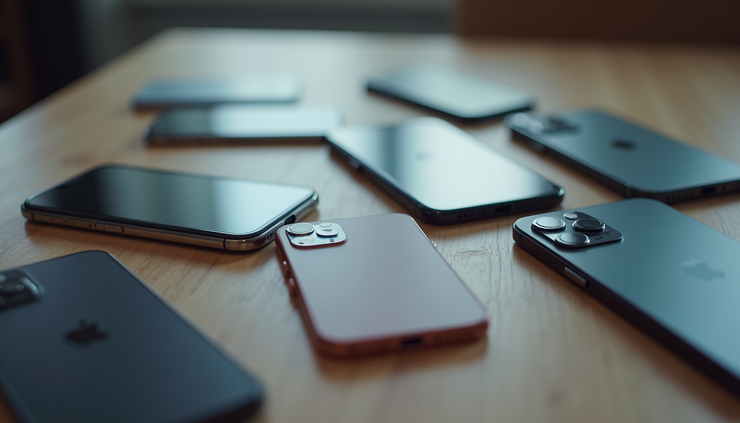
Apple typically supports iPhones for about five to six years after their release. With iOS 27, the company is expected to discontinue support for several older models. Based on current reports and Apple’s past patterns, here’s a list of iPhones likely to lose compatibility:
iPhone 8 and iPhone 8 Plus
iPhone X
iPhone XR
iPhone 11
These models, while still functional, will not receive the iOS 27 update. This means no new features, bug fixes, or security patches from this update onward.
Why Does Apple Drop Support for Older iPhones?
Apple’s decision to stop supporting certain iPhones usually comes down to hardware limitations. New iOS versions often require more processing power, better graphics capabilities, and updated security features that older devices cannot handle efficiently. Continuing to support outdated hardware could lead to slower performance and a poor user experience.
For example, the iPhone 8 and iPhone X use the A11 Bionic chip, which is now several generations old. Newer iOS features rely on the more advanced chips found in recent iPhones, such as the A15 or A16 Bionic. This gap makes it difficult to maintain smooth operation on older models.
What Happens If Your iPhone Doesn’t Support iOS 27?
If your iPhone is not compatible with iOS 27, you will still be able to use it as usual, but there are some important consequences:
No access to new iOS 27 features
No security updates or patches related to iOS 27
Potential compatibility issues with new apps or app updates
Possible increased vulnerability to security threats
It’s important to keep in mind that while your phone will continue to work, it may become less secure and less compatible with the latest apps over time.
How to Check If Your iPhone Supports iOS 27
When iOS 27 officially launches, you can check if your device supports the update by:
Opening the Settings app
Tapping General
Selecting Software Update
If your iPhone is compatible, the update will appear here with an option to download and install. If not, you will see a message indicating your device is up to date or that the update is unavailable.
What Are Your Options If Your iPhone Loses Support?
If your iPhone is among those dropping support, you have a few options to consider:
Keep using your current iPhone without the latest iOS updates. This is fine if your device still meets your needs and you practice safe app usage.
Upgrade to a newer iPhone model that supports iOS 27. This ensures you get the latest features, security, and app compatibility.
Consider a certified refurbished iPhone as a cost-effective alternative to buying new. These devices often come with a warranty and run the latest iOS versions.
Choosing to upgrade depends on your budget, how much you rely on your iPhone, and whether you want access to the newest features.
What New Features Might You Miss Without iOS 27?
While Apple has not officially announced all iOS 27 features, leaks and rumors suggest improvements in areas like:
Enhanced privacy controls
New customization options for the home screen and widgets
Improved messaging features
Updates to Siri and voice commands
Better integration with other Apple devices
Missing out on these features could affect how you interact with your iPhone daily, especially if you rely on the latest apps and services.
Preparing for the Transition
If you plan to upgrade your iPhone, it’s a good idea to back up your data before the iOS 27 release. Use iCloud or connect your iPhone to a computer to create a full backup. This ensures you won’t lose photos, contacts, or important files during the switch.
Also, review your current apps and subscriptions. Some apps might require iOS 27 to function properly, so updating or replacing them ahead of time can save frustration.
Final Thoughts on iOS 27 and iPhone Support
The end of support for older iPhones with iOS 27 is a natural part of Apple’s product cycle. While it may be inconvenient for some users, it allows Apple to focus on improving performance and security for newer devices. If your iPhone is on the list, consider whether it still meets your needs or if it’s time to upgrade.


Comments